


InmateSales
3.7502.00 Reviews
App Specs
- Version
- 1.10.1-b605150303
- Updated On
- License
- Free
- Downloads
- 500,000+
- Developer
- Combined Public Communication LLC
- Categories
- Communication
- Platform
- Android
Screenshots
 Analysis by AppCompare
For families and friends, staying in touch with someone in custody often means working around the communication options available at that person’s facility. InmateSales is a focused tool for that situation, rather than a general-purpose messaging app. My lasting impression is that its value depends less on novelty than on whether the facility supports the services you need and whether you can make the app part of a steady routine.
Useful from the first week, with one important check
The first practical step is to confirm that the relevant facility uses InmateSales and which services it makes available. The app’s purpose is tied to participating facilities, so downloading it alone does not guarantee that every communication option will be available to you. I would check this before spending time setting up an account or planning a visit; it is the clearest way to avoid expecting the app to work like an ordinary chat service.
That facility-first approach also shapes the first week of use. Rather than exploring a broad social platform, you are trying to complete a specific task: manage an account and, where supported, make a deposit. The free app is published by Combined Public Communication LLC and is rated for Everyone. It has an average rating of 3.9 from around 1.4K ratings, with over 500K installs, suggesting that many people have tried it, though those figures cannot tell you whether your own facility supports the service you need.
Make the account work for a real routine
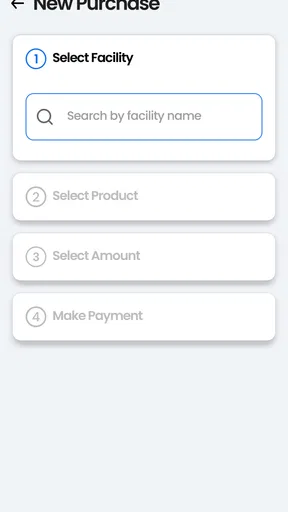
A useful early habit is to keep account details and facility information close at hand before you begin a transaction. When you are handling a deposit, take a moment to confirm that you have selected the intended facility and person before continuing. This is a small bit of care, but it matters more here than in a casual shopping app: a rushed entry can create avoidable uncertainty when the purpose is to support someone else.
For example, imagine you have a short break at work and want to arrange a deposit before the day gets busy. Instead of beginning from memory, check the account details first, then complete the task when you have enough time to review the information on screen. I find this a more sensible way to use a service connected to facility-specific arrangements than treating it as something to tap through while distracted.
Month-to-month value is practical, not entertaining
There is no reason to open a communication-and-deposit app every day if you have nothing to manage. Its value is recurring but situational: it can remain useful over months when you regularly need the account, while sitting unused between those moments. That is not a flaw by itself. I would judge it by whether it makes the necessary task easier to handle, not by how often it sends me back to the screen.
Compared with a standard messaging app, InmateSales serves a narrower purpose and is not a general replacement for the tools you and your contacts use elsewhere. Regular chat apps are built for everyday conversations between people who can freely use them; a facility-linked service is relevant only within its supported setting. If your main need is ordinary messaging with friends or family, a familiar chat app is the more natural choice. If you need to manage an InmateSales account or make a deposit at a participating facility, this focused option is the reason to keep it installed.
Worth Reading Before You Choose

EA SPORTS FC Mobile 26 Is a Bigger Football Game, but It Takes Time

Flipboard Shows What News Apps Must Do Beyond the Feed

Switching to Android Auto Means Rethinking Your Driving Routine

Google Calendar Makes a Crowded Week Easier to Manage

Ludo King Makes the Most of the Minutes Between Plans

Baby Panda World Brings Quick Play to Modern Phones, but Its Game Library Feels Busy
Maintenance, costs, and the limits of convenience
Keeping the app useful does not require turning it into a daily habit. I would keep the login information somewhere secure, check the account when a genuine need comes up, and make sure the installed version remains current. The version listed is 1.10.1-b605150303 and it requires Android 8.0 or later. That gives Android users a quick compatibility check before downloading; iOS users should check the requirements shown for their device in the relevant store.
The app itself is free, but that does not mean every service or transaction connected to it is free. Deposits and facility services may involve their own charges or conditions, so read the amount and any terms displayed before confirming. I would not add money simply to explore the app. Treat each transaction as a deliberate action, and keep whatever confirmation or receipt the app provides so you can refer back to it if you need to check what happened.
Getting Started with InmateSales
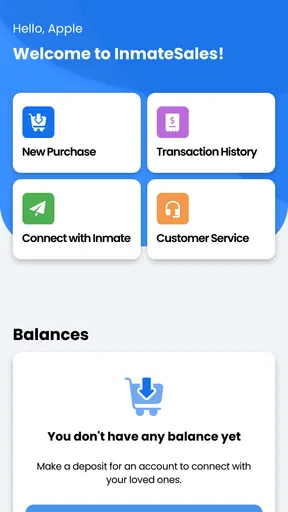
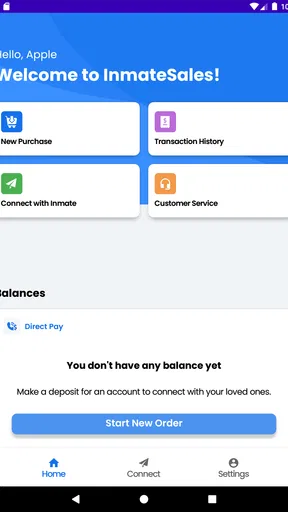
First off, downloading InmateSales is a breeze. You can find it on both Android and iOS, and it won't take up much space on your device. Once you’ve got it up and running, you’re greeted by a pretty straightforward interface. It’s not flashy, but it does the job, which I find kind of refreshing. No clutter, just what you need right there in front of you.
Setting Up Your Account
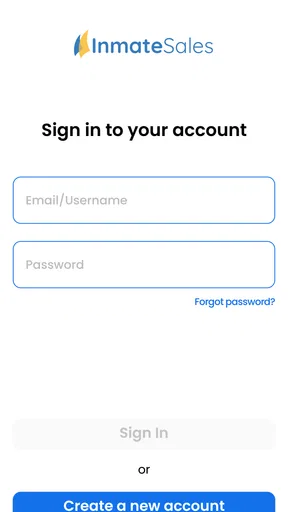
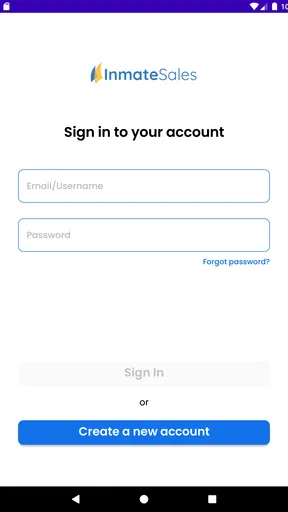
Creating an account is pretty standard. You’ll need to provide some basic information, and once that’s sorted, you can start connecting. The process is smooth, and I didn’t run into any hiccups. If you've ever set up a social media account, you'll be a pro at this.
Navigating Through Features
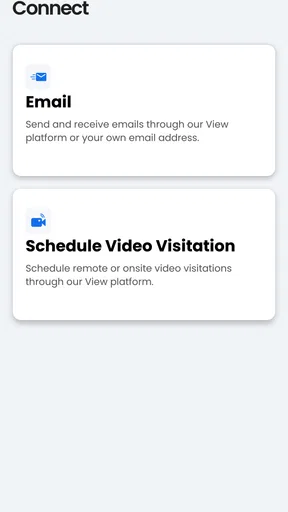
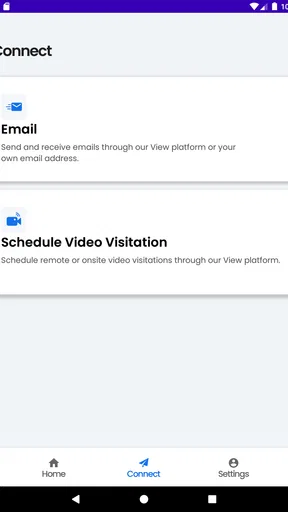
Once you’re logged in, the features are laid out clearly. The app is designed to facilitate communication with inmates, and it does this through calls, messages, and video visits. Each option is easy to access from the main menu. I found the video visits particularly interesting. It’s like FaceTime but, you know, with a bit more security.
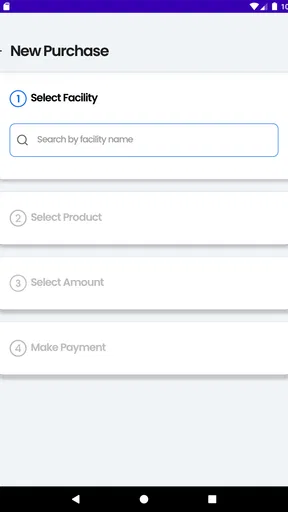
One thing I noticed is how the app handles payments. You’ll need to add funds to your account to use some of the services. It’s a straightforward process, but make sure to keep an eye on your balance if you plan on having long chats.
User Experience
Using the app feels intuitive. I appreciated the clear instructions and the way the app guides you through each step. The call quality is decent enough, though it can depend on your connection. Video visits were surprisingly clear, which was a pleasant surprise.
What really stands out is the app's focus on security. You can tell a lot of thought has gone into ensuring that all communications are safe and private. It’s reassuring, especially when you’re dealing with sensitive conversations.
Customer Support
If you run into any issues, the app provides support options. There’s a help section with FAQs and a way to reach out if you need more assistance. I didn’t have to use it much, but it’s nice to know it’s there if you need a little help navigating the app.
When the routine starts to feel tiring
The main source of fatigue is not constant screen time; it is the responsibility around using a service tied to a facility and a person you care about. Checking details, planning a transaction, and keeping track of what you have done can feel like another task on an already busy day. I find it helps to handle account matters at a calm moment rather than turning each interaction into a last-minute scramble.
Another trade-off is that this is not a single universal channel for every kind of contact. The facility determines what is available, so the app may be more useful for one person’s situation than another’s. If your priority is a particular form of communication, confirm that it is supported where your contact is held before relying on the app for it. That simple check is more valuable than assuming the menu will match every facility.
Who should keep it installed
I would recommend it to someone who already knows that a facility uses the service and expects to manage an account or make deposits there. It can also make sense for a family member who shares those practical responsibilities with others: agreeing who will handle a task and keeping a record of completed transactions can reduce confusion. The app is less compelling for someone who has no current facility-related need, or who is only looking for a general way to message people.
If you are helping another family member get started, take the setup slowly and make sure the account information is entered consistently. Avoid passing passwords around casually; if more than one person is involved, decide who should sign in and who should simply receive updates about completed tasks. That is not a special feature of the app, but it is a useful way to protect access and prevent duplicate deposits or mixed-up expectations.
Questions worth settling before you rely on it
People often want to know whether the app works at every facility. The practical answer is to check the specific facility, because the service is intended for certain locations rather than being universal. They may also wonder whether downloading it costs anything: the app is free, while deposits or facility services can have separate costs or conditions. Reviewing the final amount before confirming is the safest routine.
Another reasonable question is whether this replaces the usual phone, video, or messaging apps. It should not be treated as a universal replacement. Its role is tied to the services available through the facility, while ordinary communication apps remain better for everyday conversations outside that setting. And if a transaction seems delayed or unclear, use the app’s support route and keep any confirmation details available; that is more useful than repeating the same payment in a hurry.
Long-term verdict
All in all, InmateSales does what it sets out to do effectively. It’s not just an app; it’s a bridge connecting people when they need it most. Sure, it might not be the flashiest app out there, but it’s solid, reliable, and gets the job done. If you’re looking to maintain a connection with someone on the inside, this app is definitely worth checking out.
Whether it's for a quick chat, an important message, or a face-to-face visit, this app has your back. So, if you’re in need of staying connected with someone behind bars, give InmateSales a try. You might find it’s just what you needed.
My longer-term recommendation is conditional rather than universal: keep it if the facility you need is supported and the account handles a recurring responsibility more simply for you. If the service is not available where your contact is held, or if you only need ordinary messaging, it is unlikely to earn permanent space on your phone. For the right household, though, a focused account tool can be worth having ready even when it is used only occasionally.
Pros
- User-friendly interface for easy navigation.
- Secure communication with loved ones.
- Affordable call rates compared to alternatives.
- Supports multiple payment options.
- Reliable customer support available.
Cons
- Limited availability in some regions.
- Occasional connectivity issues reported.
- Requires stable internet connection.
- Limited features on the free version.
- In-app advertisements can be intrusive.
FAQs for InmateSales
What is InmateSales and how does it work?
InmateSales is a platform designed to facilitate communication between inmates and their loved ones. Users can set up an account, deposit funds, and schedule calls or send messages. The app ensures seamless and secure interactions, providing a user-friendly interface that helps bridge the gap between inmates and their families or friends.
Is InmateSales available on both Android and iOS devices?
Yes, InmateSales is available for both Android and iOS platforms. You can download the app directly from the Google Play Store for Android devices or the Apple App Store for iOS devices. Ensure your device meets the minimum system requirements for optimal performance.
Are there any fees involved with using InmateSales?
Yes, there are fees associated with using InmateSales. These may include charges for depositing funds, scheduling calls, or sending messages. It's important to review the fee structure on the app or website to understand the costs involved and ensure your account is adequately funded.
How secure is the InmateSales app for personal data?
InmateSales takes security seriously and employs robust encryption methods to protect users' personal data. All transactions and communications are secured to prevent unauthorized access. It's recommended to use strong passwords and regularly update them to further enhance security.
What should I do if I encounter technical issues with InmateSales?
If you experience any technical issues with InmateSales, first ensure your app is updated to the latest version. You can also check your internet connection, as connectivity issues may affect performance. For further assistance, contact the customer support team via the app or website for troubleshooting and support.


